Layer 1
Brand Brain
Your voice, offers and key facts, learned from your website and documents and approved by you.
BrandIntel learns from your ad results and approved brand facts, then drafts on-brand ads and posts your team reviews before anything goes live.
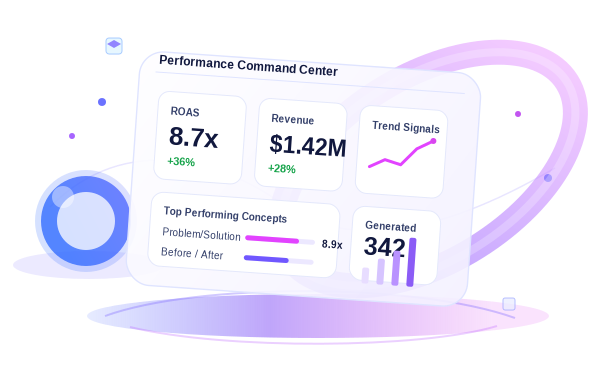
Illustrative example. Numbers are not real customer results.
From your data to better content in four simple steps. Each round teaches the next one.
Bring your data in
Add your ad accounts, a CSV of past results, your website and brand documents.
Learn what works
See what worked in your past ads, and approve the brand facts the AI should follow.
Write on-brand drafts
Get ad copy, images and Google Business posts written from proven patterns.
Get better every round
Approve, publish, then compare the results so the next drafts get better.
Pictures above are simple illustrations of each step, not real data.
Who you are, what has worked, what is happening now, and how your last posts did. All four go into every draft BrandIntel writes.
Your voice, offers and key facts, learned from your website and documents and approved by you.
Finds what your best ads have in common, so new drafts start from what already works.
Current trends and seasons you tell it about, so drafts feel timely, not generic.
Links each published post to its results, so every round of drafts learns from the last.
From the first draft to the published post, without copying between five different tools.
Several headline and text versions for each Meta or Google ad, written from facts you approved.
Images in your brand colours, with your logo, ready to pair with the copy.
Updates, events and offers for your Google Business Profile, in your voice.
Approve a post, then publish it now or schedule it for later.
Facts from your website and documents. You approve each one before the AI uses it.
See which ads did best and why, in reports you can read in a couple of minutes.
Previews are simple illustrations, not real customer content.
The AI writes the first draft from brand facts your team approved. A person on your team keeps the final say, every time.
Every draft waits for someone on your team before it is published, scheduled or exported.
Change any line, send it back, or sign it off. Nothing is posted on its own.
The activity log shows who edited, approved or rejected each draft, and when.
Plan limits keep AI use and spending under control, month after month.
Headline
Fresh beans, roasted this week. Order by noon, collect today.
Small-batch coffee from our own roastery, ready the same day.
Based on approved brand facts
Activity log
Bring in what you already have. The more BrandIntel knows, the better its drafts.
On the free plan, upload past results as a CSV. Linking Meta, Instagram and Google comes with Starter.
Whether you run one brand or twenty, BrandIntel fits the way you already work.
Write more ads from what already worked, and keep everyone on the same brand facts.
A separate workspace for each client, so their data, facts and drafts never mix.
Keep your Google Business Profile and Instagram busy without hiring a copywriter.
Monthly plans. Change or cancel any time from Billing in the app.
Try it with your own data.
$0/ month
Connect your ad accounts.
$29/ month
For teams and agencies.
$79/ month
For large teams with custom needs.
Custom
The things people ask before they sign up.
No. On the free plan you can upload past ad results as a CSV file. Linking Meta, Instagram and Google comes with the Starter plan.
No. Every draft waits for someone on your team to approve it. Only then can it be published, scheduled or exported.
From your website pages and the documents you upload. You approve each fact first, and the AI only uses approved ones.
No. Each customer’s data is kept separate and checked on every request, and every change is recorded in an activity log.
Meta (Facebook and Instagram) ads, Google Ads, Google Business Profile, Instagram posts, CSV files, your website and your brand documents.
Yes. Plans are monthly, and you can change or cancel from the Billing page in the app at any time.
Start on the free plan and evaluate BrandIntel with your own approved data.